Help center
Use ZoltVPN in Telegram
Our Telegram app shows your plan, devices and data, and has support day and night. Here's how to link it to the account you already have.
Narrated walk-through with the same screenshots.
Step by step
Screenshots from the Android app. iPhone, iPad, Mac and Windows look very similar.
- 1
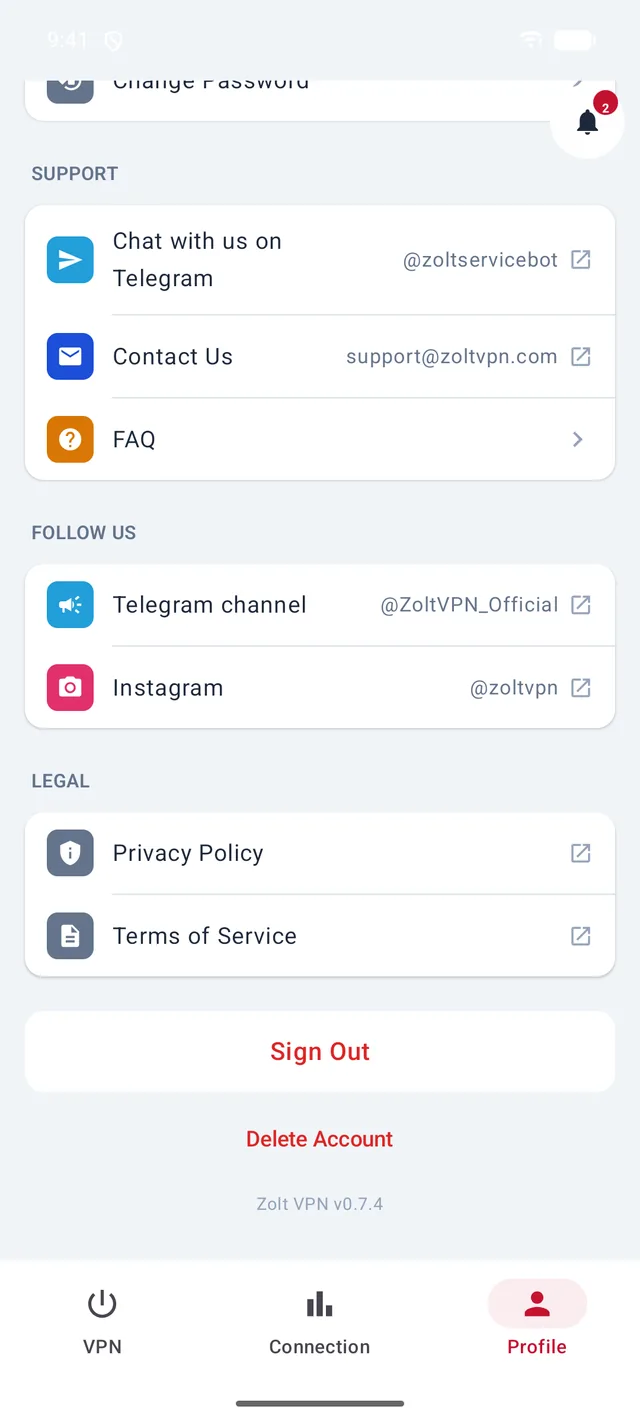
In the app: Profile → Chat with us on Telegram
This opens @ZoltServiceBot in Telegram. Tap Start, then Open ZoltVPN.
- 2
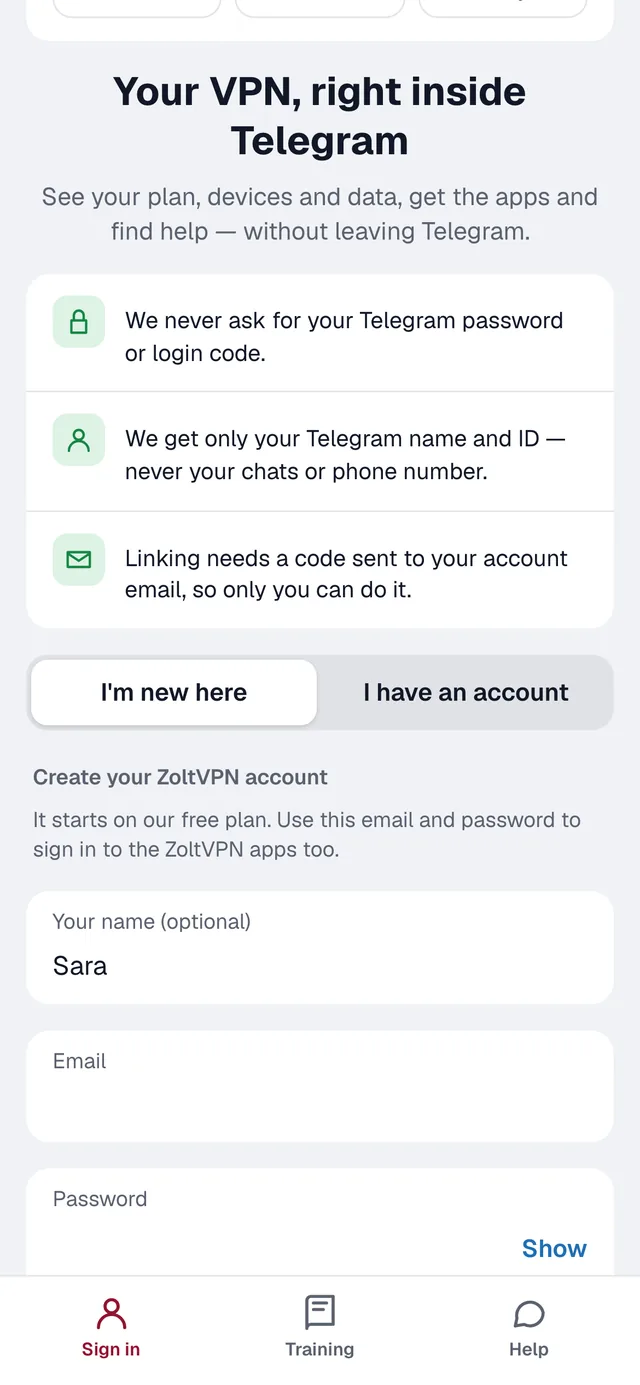
Tap “I have an account”
Choose this to use the same account as in the app.
- 3
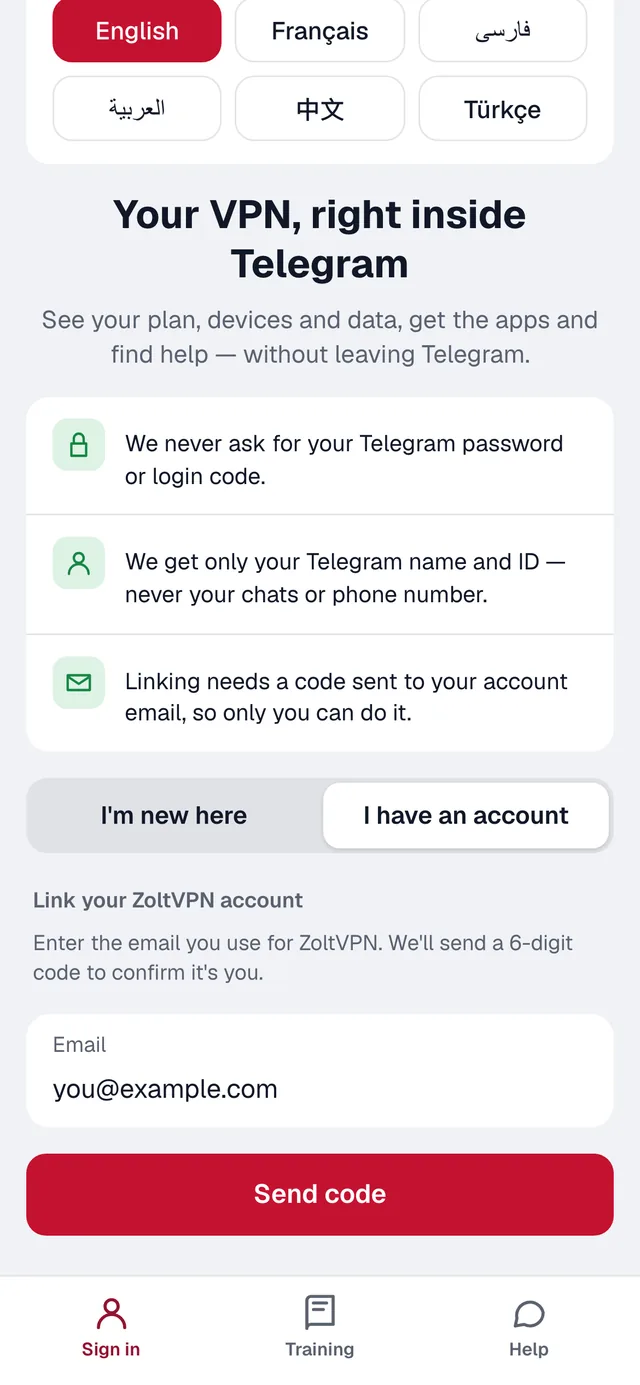
Enter your email and tap “Send code”
Use the email of your ZoltVPN account. We send a 6-digit code to it.
- 4
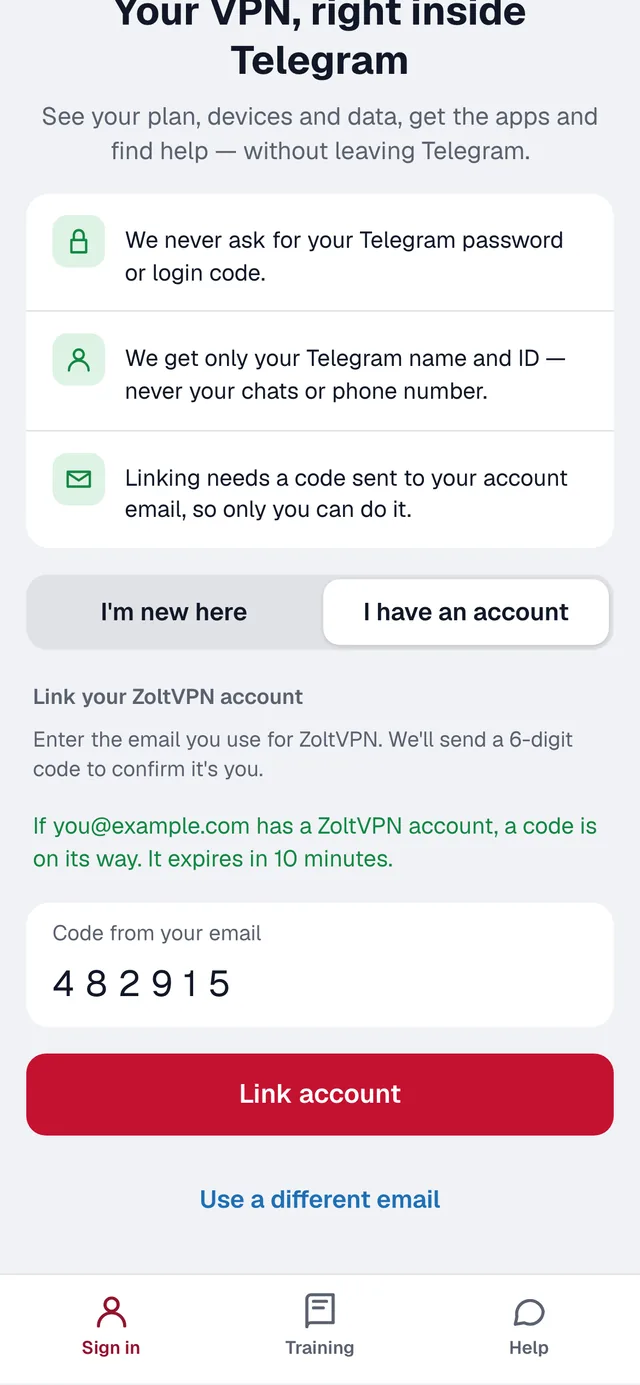
Type the code and tap “Link account”
Done — your Telegram is linked, and from now on the app opens straight to your account.
Good to know
- Signed in with a code from a reseller, and have no email? Send that code to @ZoltServiceBot as a message, and it links your account.
- New to ZoltVPN? Tap “I'm new here” to create an account right inside Telegram.
- We never ask for your Telegram password or login code.
More guides
Sign in with a codeSign in with your emailConnect to the VPNLocations, connection methods and AutoSmart routing for IranAdd a device to your planRemove a device from your plan
Still stuck?
Write to us on Telegram — our assistant answers day and night and passes anything it can't solve to our team.