Help center
Remove a device from your plan
Here's how to remove a device from your plan, so its place is free again.
Narrated walk-through with the same screenshots.
Step by step
Screenshots from the Android app. iPhone, iPad, Mac and Windows look very similar.
- 1
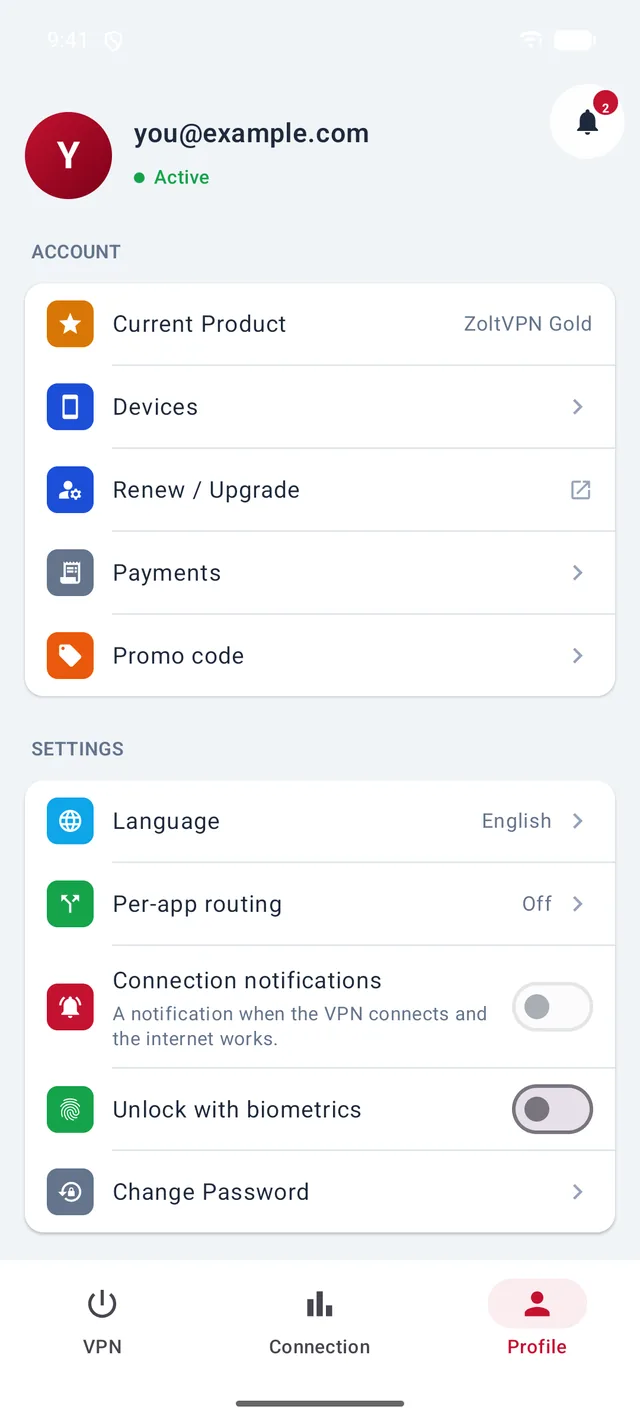
Open Profile → Devices
In the Profile tab, tap Devices.
- 2
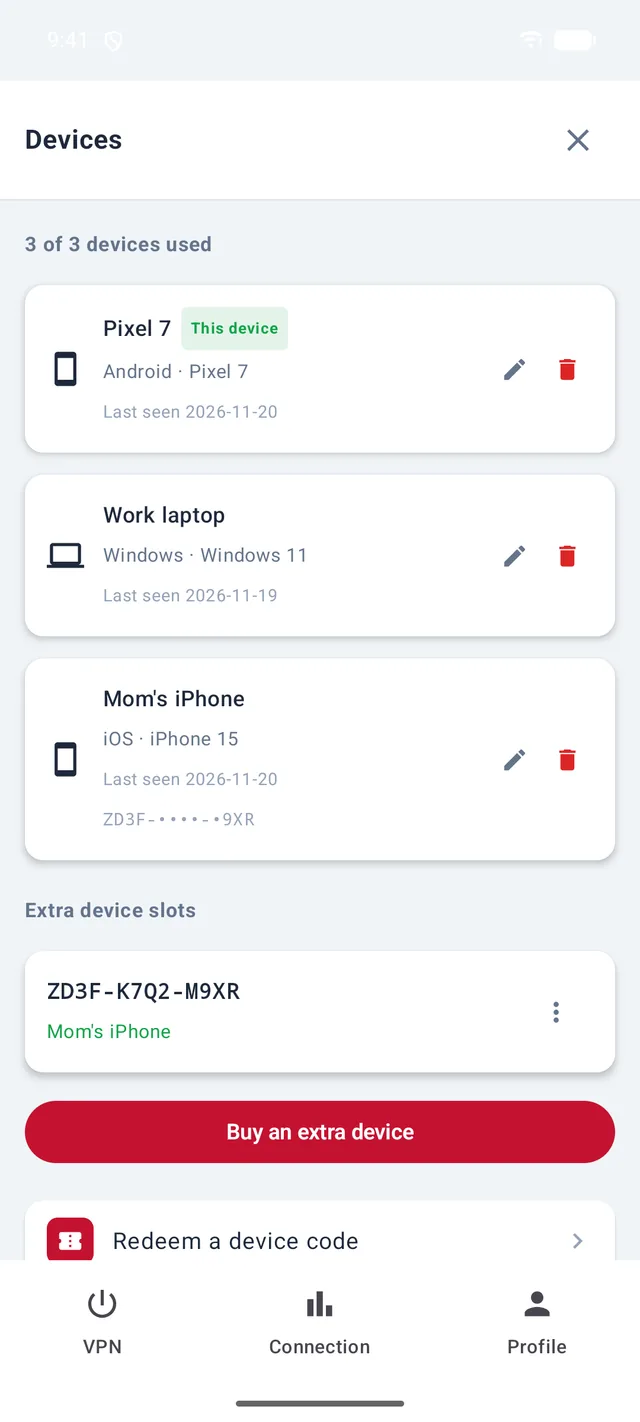
Tap the bin next to the device
Find the device in the list and tap its red bin icon.
- 3
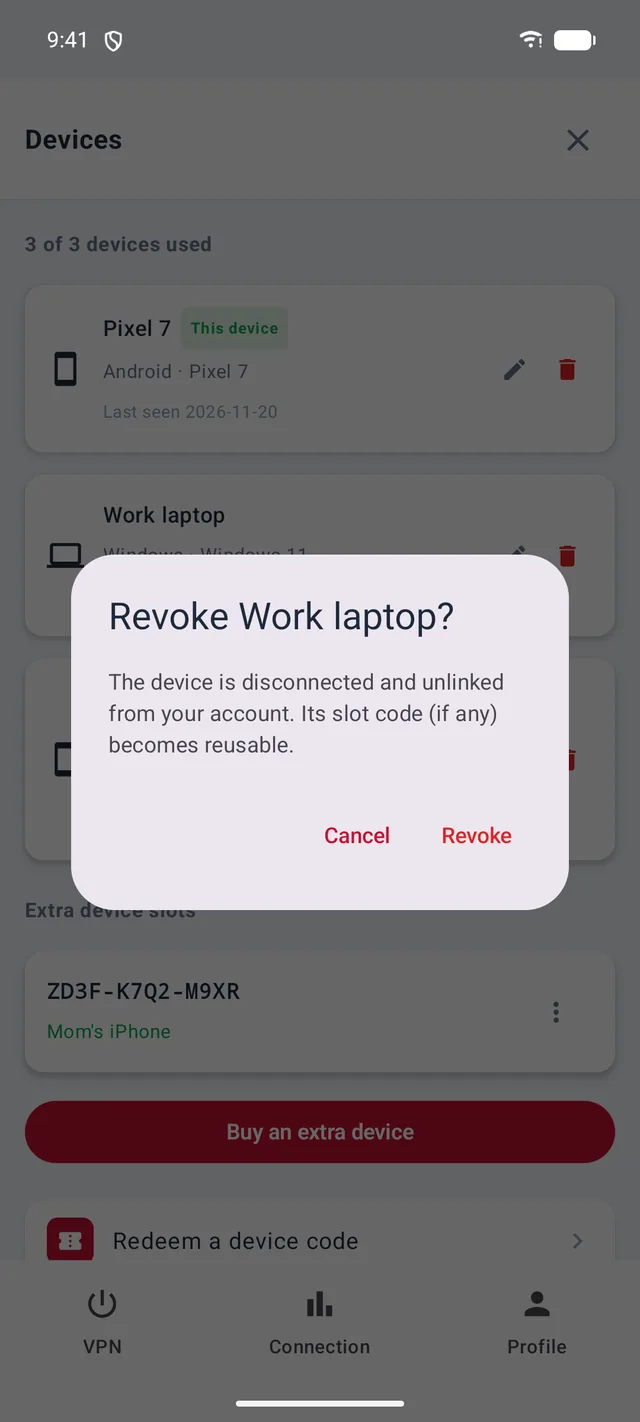
Tap “Revoke”
The device is signed out and unlinked from your account, and its place on your plan is free again.
- 4
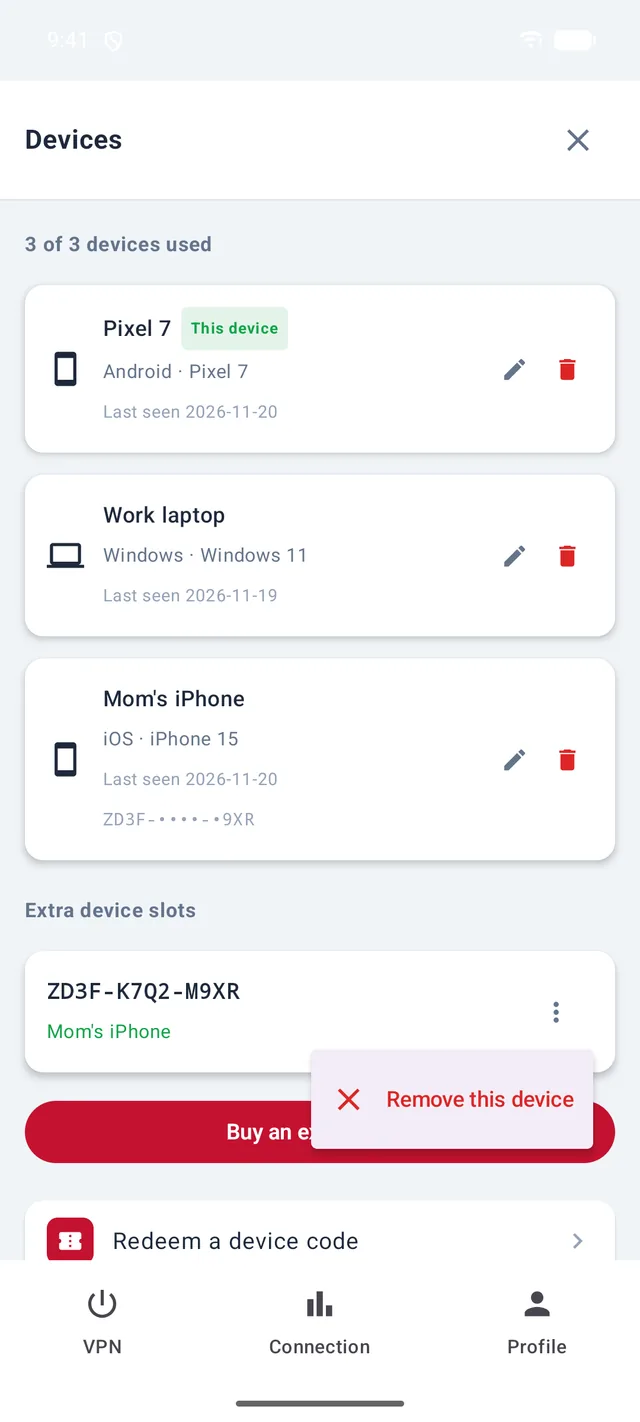
Shared a code? Take it back
Under Extra device slots, tap ⋮ next to the code and choose Remove this device. Whoever was using that code loses access straight away; the code stays yours to share with someone else.
Good to know
- Lost a phone? Remove it from any of your other devices.
More guides
Sign in with a codeSign in with your emailConnect to the VPNLocations, connection methods and AutoSmart routing for IranAdd a device to your planUse ZoltVPN in Telegram
Still stuck?
Write to us on Telegram — our assistant answers day and night and passes anything it can't solve to our team.