Help center
Sign in with your email
Here's how to sign in to the ZoltVPN app with your email and password.
Narrated walk-through with the same screenshots.
Step by step
Screenshots from the Android app. iPhone, iPad, Mac and Windows look very similar.
- 1
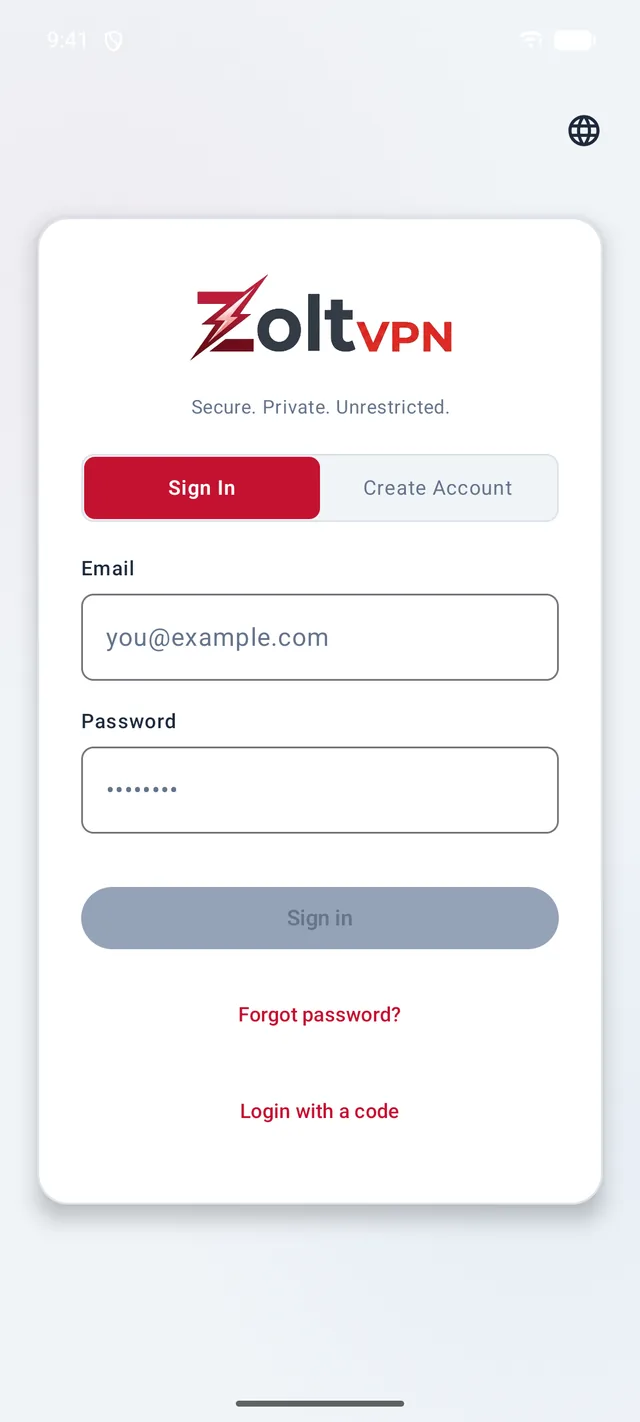
Type your email
Open ZoltVPN. On the Sign In tab, type the email address of your ZoltVPN account.
- 2
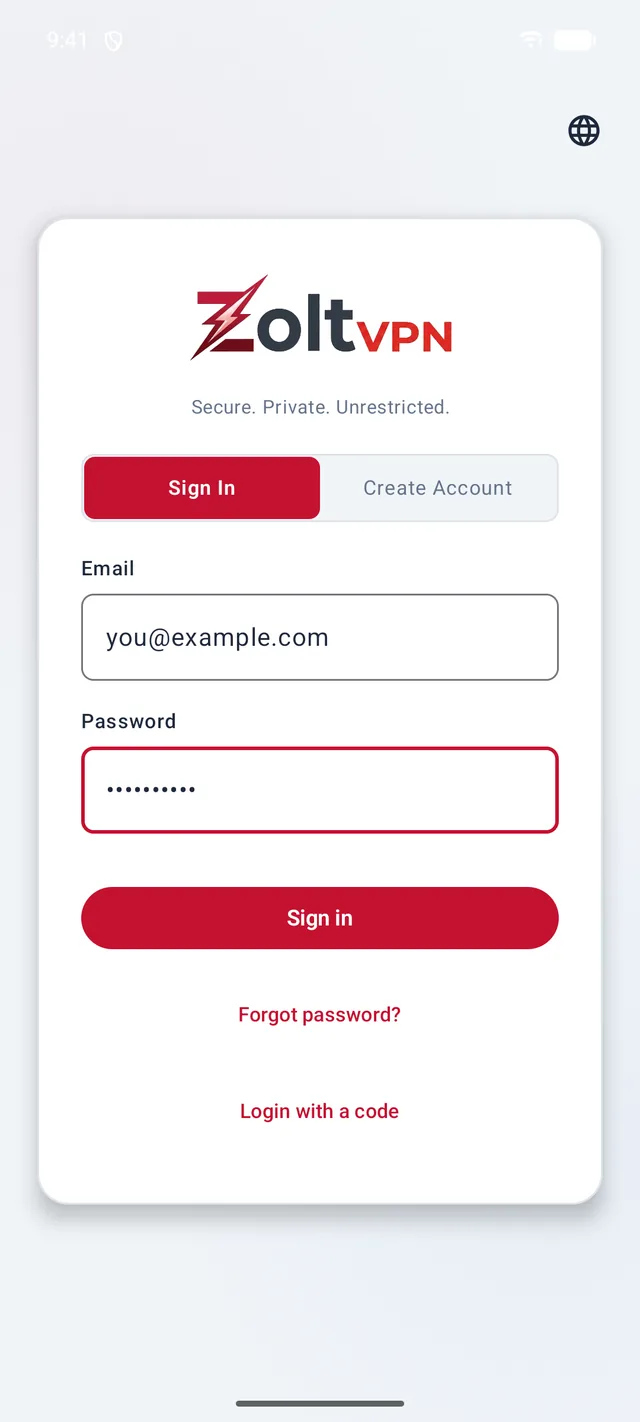
Type your password and tap “Sign in”
Your password stays hidden as you type. Then tap Sign in.
- 3
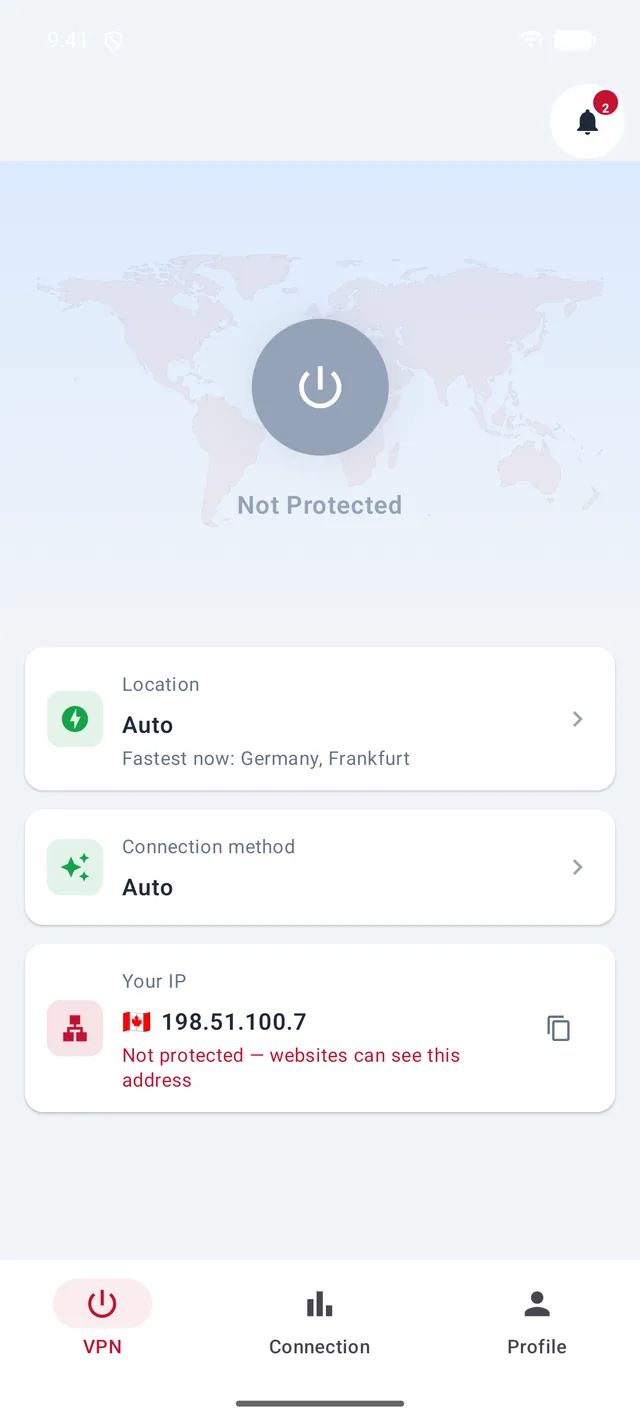
You're in
The VPN screen opens. Tap the big button whenever you want to connect.
Good to know
- Forgot your password? Tap “Forgot password?” and we'll email you how to set a new one.
- New to ZoltVPN? Tap “Create Account” to make a free account.
- One account everywhere: the same email and password work in the apps for Android, iPhone, iPad, Mac and Windows, on app.zoltvpn.com, and in our Telegram app.
More guides
Sign in with a codeConnect to the VPNLocations, connection methods and AutoSmart routing for IranAdd a device to your planRemove a device from your planUse ZoltVPN in Telegram
Still stuck?
Write to us on Telegram — our assistant answers day and night and passes anything it can't solve to our team.